Clipr

I copy a lot of things. Code snippets, URLs, references, half-written sentences I’m not ready to lose yet. The native clipboard holds one thing. Everything else just vanishes.
The existing clipboard managers were either too heavy, full of cloud sync I didn’t want, or they showed me a plain list of text and nothing else. I wanted something visual, local only, instant. So I built it.
why it exists
You copy something new, the old one's just gone. No history, no undo, nothing to search back through. Lose the one thing you actually needed and it stops feeling small pretty fast.
I'd been working around it for years without really clocking that's what I was doing. Pasting into scratch files. Keeping a notes doc open just to hold something for thirty seconds. All of that is just a worse clipboard, built out of habit instead of on purpose. Clipr is the one I actually wanted.
what it does
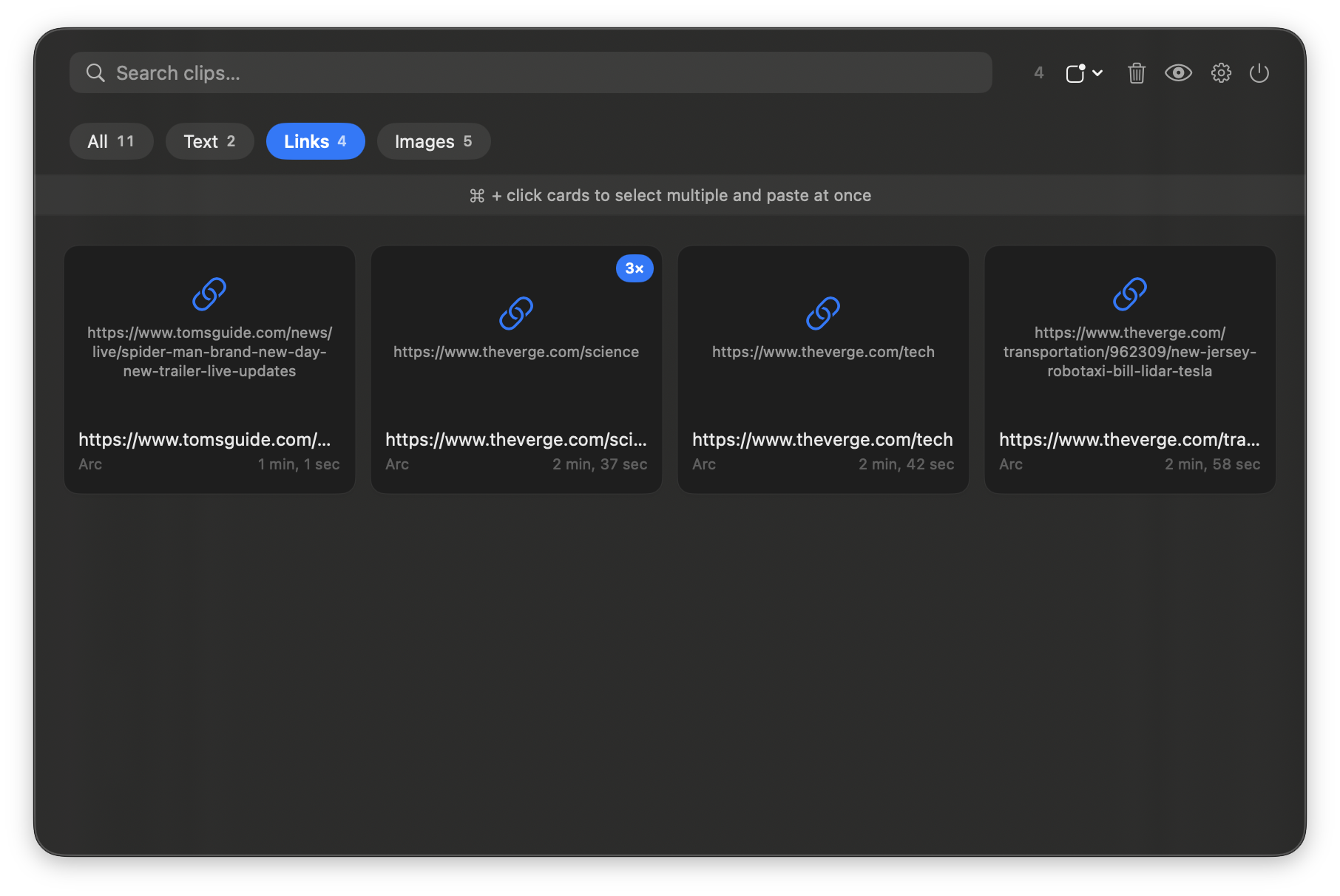
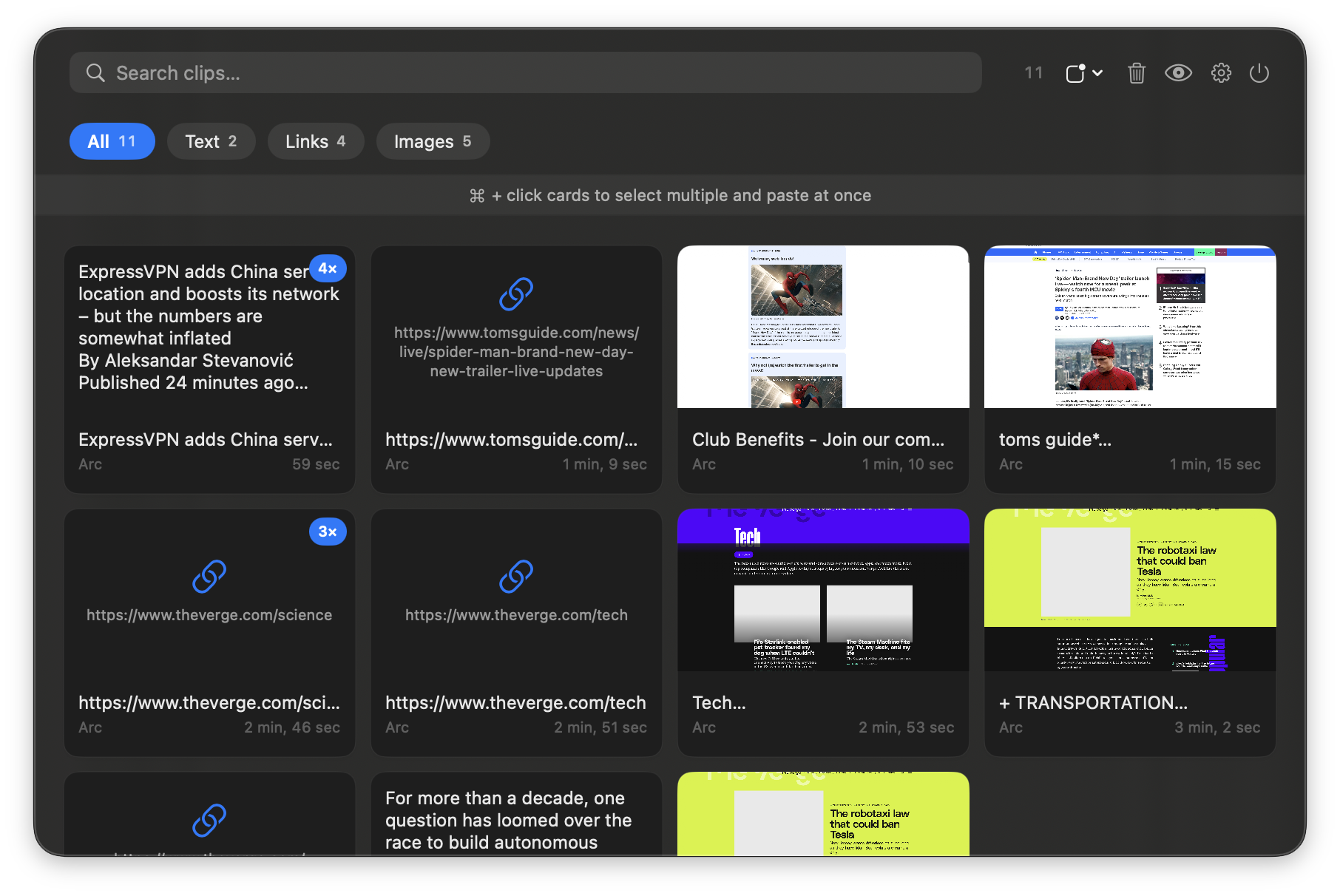
- Visual grid of every clip: screenshots, colors, code, URLs, files, rich text screenshots, colors, code, URLs, files, rich text
- Click any card to instantly paste it into whatever app you were using
- Cmd+click multi-select to paste multiple clips at once, joined together
- Instant full-text search across content, screenshots (via OCR), and URL titles
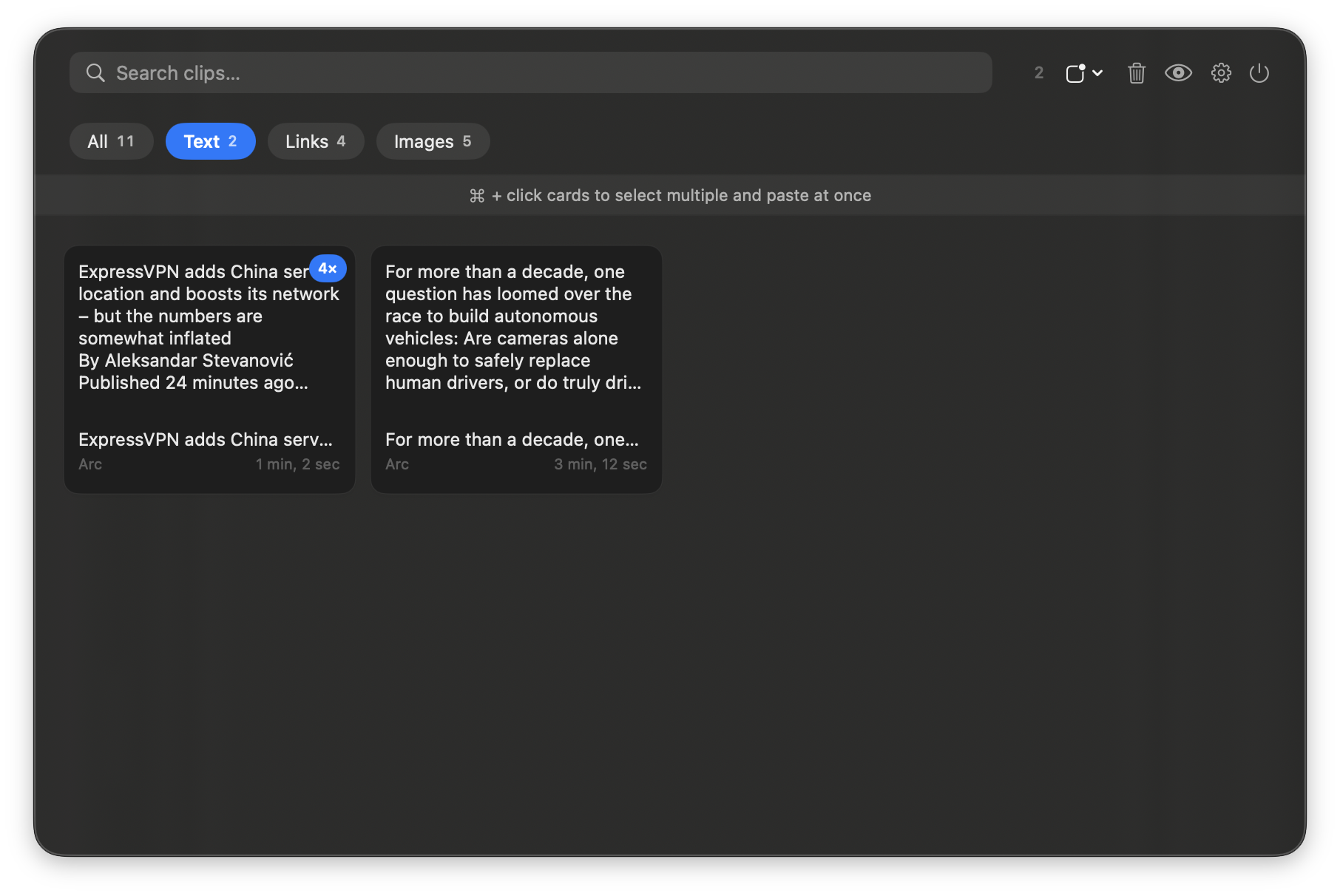
- Type filters: Text, Image, URL, Color, Code, File
- On-device OCR via Apple Vision extracts text from screenshots automatically
- Duplicate detection: identical clips collapse with a copy-count badge
- Pin clips to keep important things at the top permanently
- Incognito mode to pause capture with one click
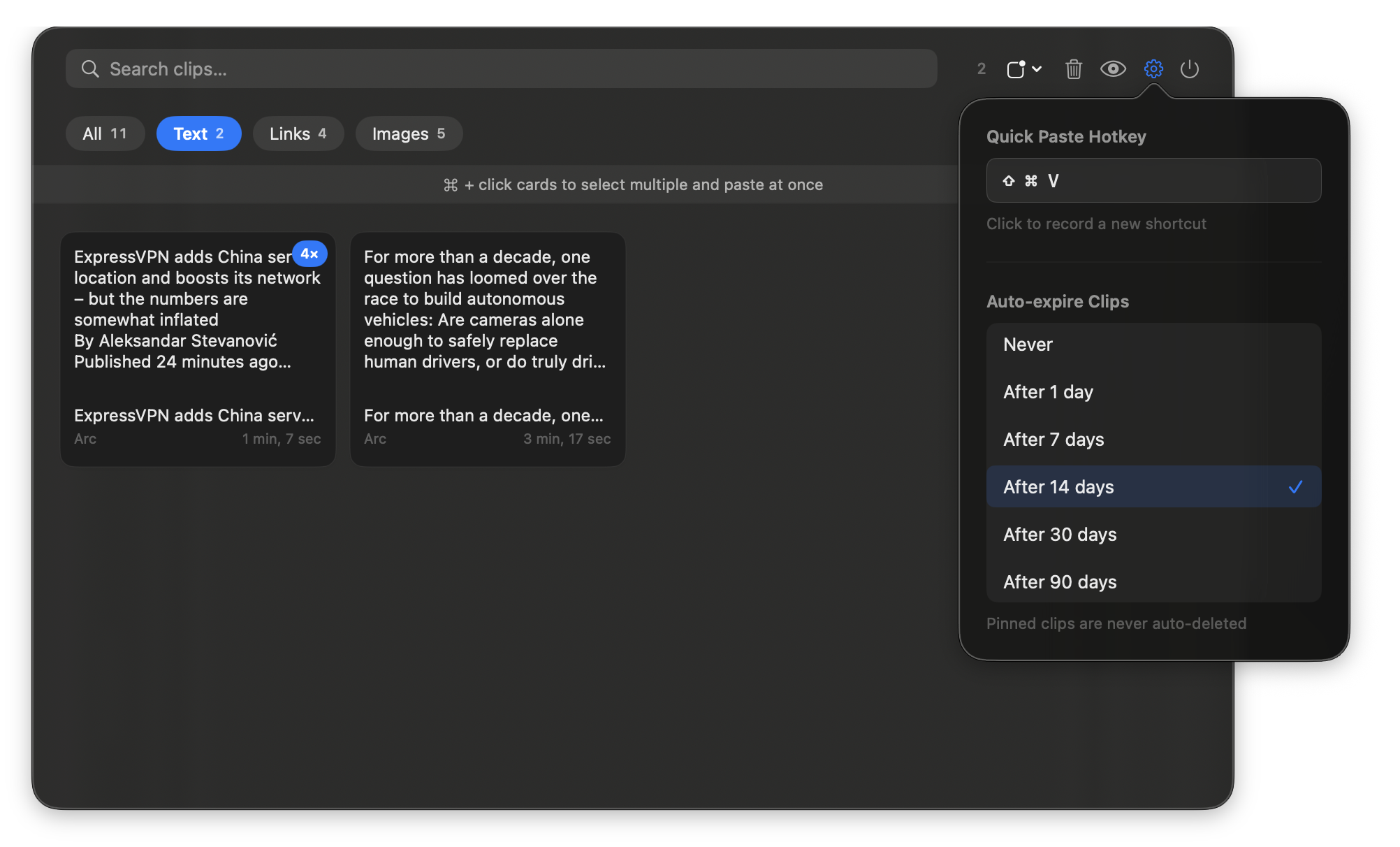
- Customizable global hotkey overlay to paste without leaving your keyboard
- Clip editing: double-click any text card to edit it before pasting
- Auto-expire: clips older than 1, 7, 14, 30, or 90 days (pinned clips exempt)
- Universal Clipboard support: anything copied on your iPhone and iPad shows up automatically
- Sensitive data filtering: skips password managers, credit cards, API keys
the decisions that mattered
Everything had to be local. No accounts, no sync, no analytics. What you copy is private by definition. The app stores everything in ~/Library/Application Support/Clipr/ and it never leaves your machine.
The panel is a custom NSWindow notch panel with spring animation. I wanted it to feel like something that actually belongs on macOS, not an Electron app in a trench coat.
the stack
- Swift + SwiftUI (macOS 13+)
- GRDB for local SQLite storage
- Custom NSWindow notch panel with spring animation
- CGEventTap for global hotkey and paste simulation
- AVAudioEngine for UI sounds
- CryptoKit SHA-256 for duplicate detection
Available as a DMG, not on the Mac App Store because CGEventTap requires full Accessibility access. Open source on GitHub.
View on GitHub →
what i’d take from it
Building something for yourself changes how you design. There’s no user research because you’re the user. Every friction point is something you feel in real time. That kind of feedback loop is brutal and fast. The test I set for it going in was simple: if I ever caught myself pasting into a scratch file out of habit again, the tool had failed at the one job it existed to do. That didn’t happen once I actually started using it, which is the closest thing to a success metric a personal tool like this gets.
I also shipped it for real: packaged as a DMG, signed, notarized, public for anyone to download. That last step is underrated. Getting something to the point where a stranger can download and run it teaches you a lot about how much work actually lives in the last 10%.