Chat Transfer

I use Claude and ChatGPT. Some days I prefer one, some days the other, and it depends on what I’m doing more than on loyalty. I also have two Claude accounts, one for work and one that’s mine. Between all of that there are a lot of conversations, and a lot of them are ones I go back to.
The problem shows up the moment a chat needs to move. I’ve been going back and forth with one tool on something for weeks and I want to see what the other one makes of it. Or I’m consolidating accounts and there’s a year of context sitting in the old one. There is no way to do this. You start again, or you scroll up and copy things by hand.
The strange part is that both tools will give you everything. Settings, export, and a zip arrives with every conversation you’ve ever had in it. What neither of them has is an import. Not from the other, not even from an older account of the same one. It’s a bit like a bank that will print your full statement but won’t accept a deposit.
I went looking for something that handled it and didn’t find much. A browser extension that wanted my login, which I wasn’t going to give it. A couple of scripts that expected you to be comfortable reading raw JSON. I wanted the version where you drop the zip in, tick the chats that matter, and carry on in whichever tool you like. That didn’t exist, so I made it.
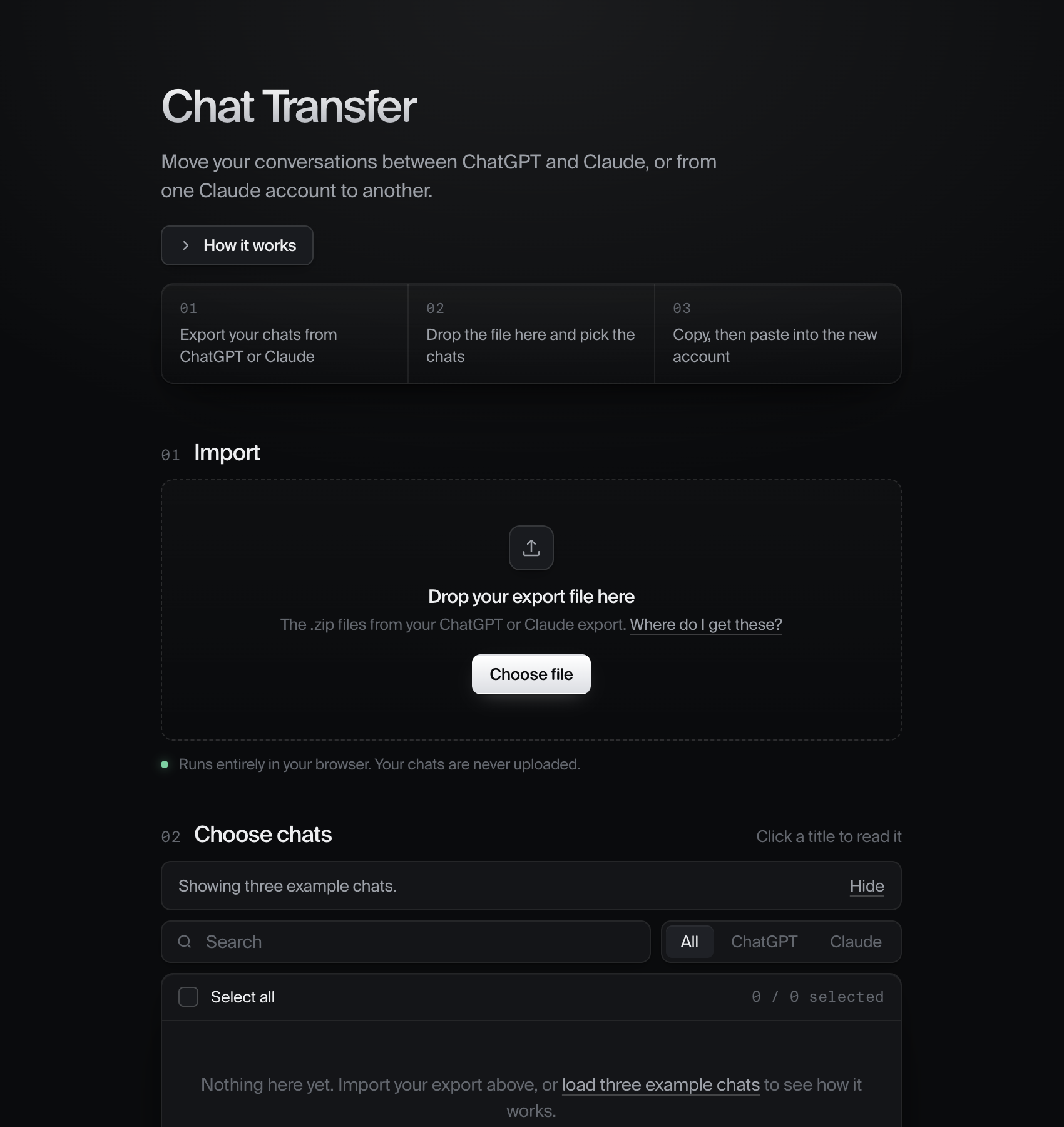
What you see when you open it. Three steps and a drop zone. The first version had the export instructions, the example chats and a privacy paragraph all on this screen too, and it read like a settings page.
the shape of the problem
The obvious thing to want is a sync button. Claude on the left, ChatGPT on the right, an arrow in the middle. That can’t exist. There’s no API on either side that creates a conversation in your account, and the only way around it is a bot logging into the website as you, which is how accounts get closed. I wasn’t going to build that and I wouldn’t use it if someone else did.
What’s left is smaller: read the export, let you pick what matters, and hand it back as text the other assistant can pick up mid-thought. The last step is you pasting, and I spent a while trying to design that away before accepting it. Pasting takes a few seconds. Finding the right chat in a zip of four hundred, and getting it into a shape the other tool understands, is the part that was taking me twenty minutes. That’s the part the tool does.
The other constraint was privacy. A chat export is about as personal as a file gets. Whatever I built could not involve a server touching it. So the whole tool is one HTML page. It unzips the export in the browser, keeps everything in the browser’s own database, and the only network request it ever makes is for the unzip library.
Gemini came later and was the awkward one. Google Takeout doesn’t give you conversations, it gives you a flat list of every prompt you ever typed, with timestamps and nothing tying them together. So the tool groups prompts that are less than thirty minutes apart and calls that a conversation, and says so in the import log rather than pretending the export was tidier than it is.
Runs entirely in your browser. Your chats are never uploaded. That line sits under the drop zone and it’s the one sentence I’d keep if I had to cut the rest.
how it works
- Export from ChatGPT, Claude or Gemini. The first two email you a zip (Claude sends several). Gemini comes out of Google Takeout.
- Drop the zips on the page. It detects the format per file, so the old single-file export and the newer split one both work.
- Your chats appear as a list. Search them, filter by source, sort by newest, oldest or longest, click a title to read the whole thing inline.
- Tick what you want to move, pick where it’s going, copy, paste into a new chat on the other side.
Claude Projects come across too, with their instructions and knowledge files, because those were the things I most didn’t want to rebuild by hand in a new account.
So does memory. Claude’s export includes a separate zip with everything it has learned about you over time, and that’s the first thing you notice missing in a fresh account: it treats you like a stranger. The tool reads it, shows it at the top of the list, and when you go to move it, it tells you this one goes into Settings rather than a chat. Project memories attach themselves to the right Project on the way through.
Everything is off until you turn it on. Nothing is ticked after import. The search bar, filters and select-all only appear once there’s a list to search. Step three doesn’t ask where the chats are going until you’ve chosen some.
With four hundred chats, ticking is tedious and Select all is blunt, so there are chips: last 30 days, last 6 months, longest 20. And the tool notices forks. My own export had two chats with the same title an hour apart, one with 20 messages and one with 2. That’s a retry. Same title, same source, started within a day: the shorter one gets tucked under the longer one, marked as a copy, and left out of Select all.
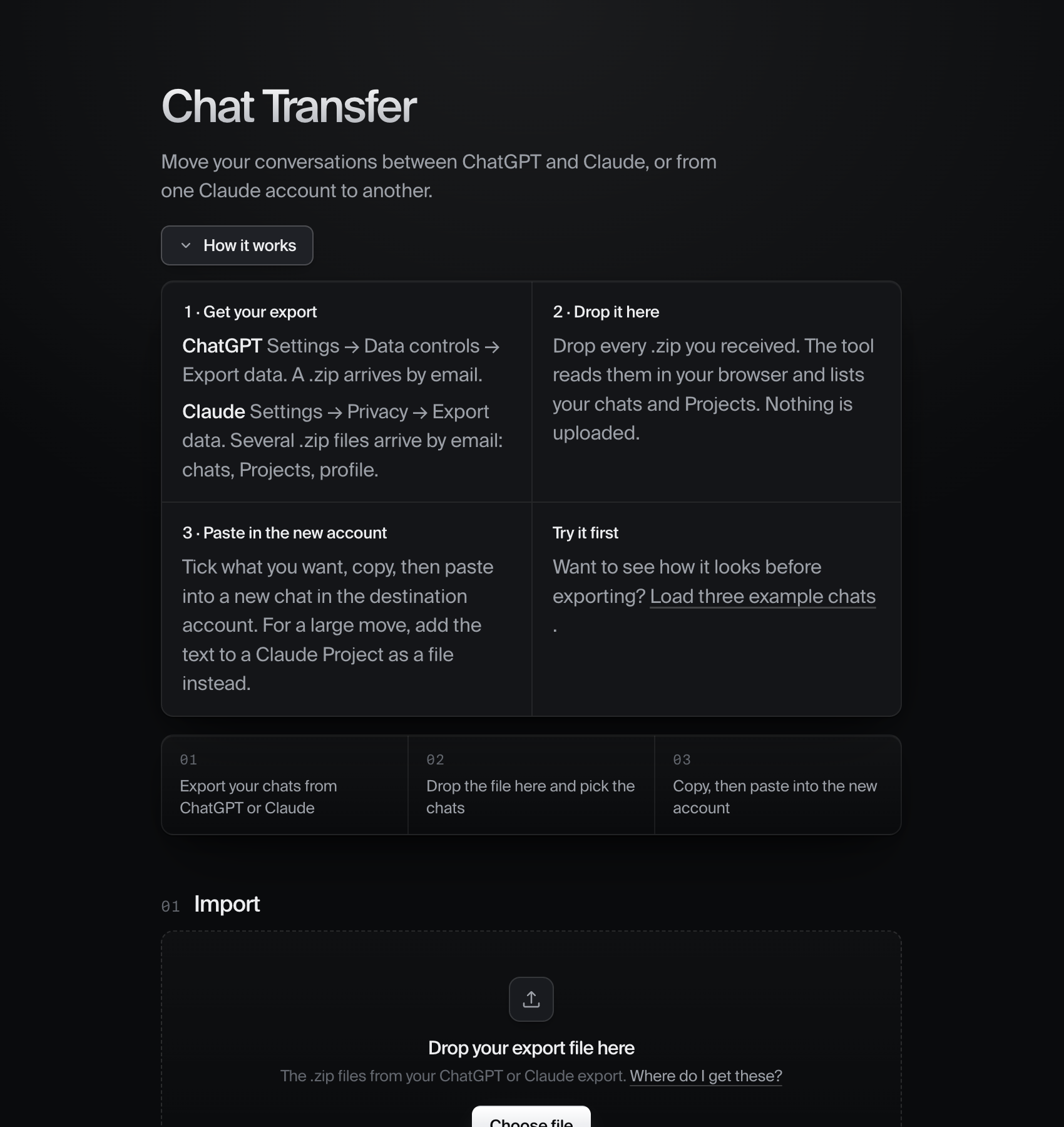
Help is one button away and closed by default. The first version had all of this on the page at once. It read like a manual.
the decision that took longest
Twenty conversations in, one chat out. That was the first version, and it’s wrong for anything past a handful. You end up with a single new chat that dimly remembers twenty unrelated topics, and the sidebar on the other side stays empty.
The fix was admitting there are three different jobs hiding inside “transfer”, and letting you choose. One at a time gives you a stepper: this chat, copy, paste, next, with progress remembered if you come back tomorrow. One bundle is the single-paste version, and it’s right up to about fifteen chats. Project file gives you one Markdown file to add to a Claude Project’s knowledge, which is the only sensible way to move a large archive.
A fourth one arrived later, for a different job. Folder of files isn’t about moving at all. It’s a zip with one plain Markdown file per conversation, named by date and title, plus Projects and memory as their own files. It opens in Notes, in Obsidian, in Word. The export the platforms give you is unreadable without a tool; this is a backup you actually own.
The tool recommends one based on how many you’ve ticked and where they’re going, and hides the question entirely when you’ve only picked one, because then the options are the same action wearing different labels.
The bundle had a flaw I lived with for too long. When it got too long for one paste, the answer was a Shorten toggle that kept the start and end of each chat and dropped the middle, which is where the decisions usually are. Now a long bundle is split into numbered parts that each fit a single message. Part one carries the instructions and asks for a one-line reply. The last part says that’s everything, wait for my question. Nothing is thrown away, and the person never has to think about limits. Every part also ends by telling the assistant not to summarise what it just read, because pasting thirty thousand characters and getting a thirty-line recap back is the most reliable way to lose the will to continue.
I went through four versions of that picker. Cards with a white bar on the left. Then three separate boxes. It kept looking cheap, and I couldn’t say why until I looked at how macOS does it: one grouped list, hairlines between rows, a radio dot, and the selected row lifted by a fill so faint you feel it more than see it.
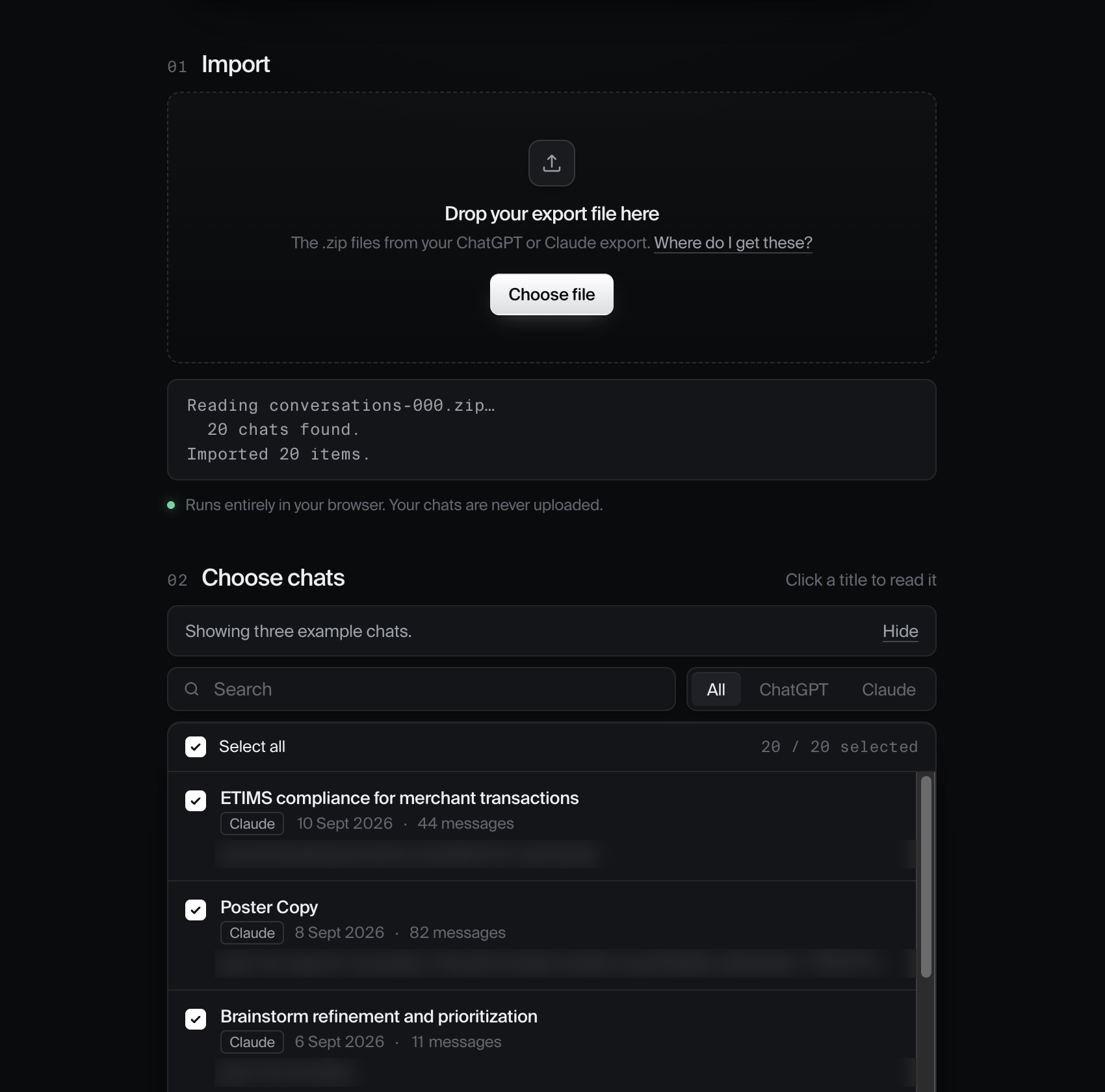
A real export coming in. The log under the drop zone says exactly what it found in each file, because the first time I tested it with the wrong zip, it said nothing at all.
the craft underneath
Dark, near-monochrome, one typeface at two weights, no bold anywhere. Depth comes from hairline borders and shadows with negative spread, so they hug the edge of a card instead of blooming under it. The one colour on the page is a small green dot next to the privacy line.
Motion follows the same two curves everywhere. Panels open with the grid-template-rows trick so height animates without measuring anything. Expanding a chat doesn’t re-render the list, so the animation runs uninterrupted and the other rows don’t flinch. Everything is transform and opacity, and all of it switches off for people who’ve asked for reduced motion.
Before anything is copied you can redact it. A scan of the selection counts what it finds: email addresses, phone numbers, card numbers that pass a Luhn check, and keys with recognisable shapes, from Anthropic and OpenAI tokens to AWS and GitHub. You see the count, you can preview the masked matches, and one toggle replaces them all with [email], [card number], [key] in every output. It’s off by default. My own export had a line in it I would not want anyone else to read. The tool should be able to catch that for me.
Moving two hundred chats one at a time is a loop, so it’s keyboard-driven. j and k walk the list, space ticks, c copies whatever is in front of you, n goes to the next one. The round trip for a chat is n, c, switch tab, paste, switch back. Your hands never leave the keys.
The part I’m most pleased with is invisible. The tool depends on two companies’ undocumented file formats, and those change without warning. Each parser now carries a fingerprint of the shape it was written against and a date. When a file looks like a ChatGPT export but the fields have moved, it says so in a sentence, tells you when the parser was last updated, and gives you a link to report it. Before that, the failure mode was silence.
- One HTML file, no build step, no framework
- Zip reading in the browser via JSZip, the only dependency
- IndexedDB for the imported archive, localStorage for stepper progress
- Parsers for ChatGPT’s conversation tree, Claude’s message list, Claude Projects, Claude memory, and Gemini’s Takeout activity list, each with a format fingerprint and a last-updated date
- Redaction and bundle splitting done as plain text passes, no model involved
- Zip export built in the browser: one file per chat with front matter, plus an index
- Static hosting on Netlify, open source on GitHub. chat-migration.netlify.app →
what i’d take from it
The tempting version of this is the one that promises a sync. It would demo well and it would get accounts banned. The version that works is smaller, says plainly what it can’t do, and keeps the one manual step short. I’d rather ship that one. It’s also fixed the thing I built it for. I move between Claude and ChatGPT now depending on the day, and the conversation comes with me.
Most of the design time went into removing things. Instructions that only helped when you needed them. Options that only mattered past a certain count. A character limit that was quietly cutting people’s messages in half for no reason I could defend. Every one of those was something I’d added because it seemed careful. Taking them out was the careful part.