work


Play / Acquired by Apple
Case StudyAn iOS-native prototyping tool that let designers build and test real native interactions without code. Six people, four months, ten thousand designers, an Apple Design Award, one acquisition.
- Part of the design team on a six-person crew that built the whole thing in four months
- Designed for the hardest possible audience: professional designers who clock every unconsidered detail
- Native-first: real gestures, real physics, real platform behavior, not a simulation layered over static screens
- Grew to 10,000+ users through word of mouth; won Apple Design Award 2025; acquired by Apple June 2026
Yellowcard / Nudge
Case StudyTwo million customers had accounts and weren't using them. The Nudge Project was my answer: a system of contextual, in-app education designed to move people from passive signups to active traders.
- Research showed 85% of customers hadn't completed KYC. Most hadn't made a single trade
- Effort/value mapping exercise to cut a long list of ideas down to what would actually ship
- Tier 0 onboarding flow redesigned from scratch for first-time crypto users
- 44% deposit conversion, 82% buy conversion, 30% KYC completion after launch
Yellowcard / Alia
Case StudyThe support team was drowning in the same handful of questions on repeat. Alia is the AI assistant I designed to handle them in-app, built for trust, transparency, and the edge cases that break most chatbots.
- Conversational flows starting with the four most common support queries, pulled from real ticket data
- Disclaimer, thumbs feedback, and a one-tap escalation path to a human. No AI loop dead ends
- Designed for edge cases: gibberish input, wrong spellings, unsupported text all handled gracefully
- 160-character input limit to keep prompts precise and responses fast
Yellowcard / Onboarding
Case StudyOne sign-up flow, 20+ African markets. We redesigned Yellowcard's onboarding from scratch, with localization built in from day one.
- Usability testing and support ticket analysis to find where customers were dropping off and why
- Reordered steps, grouped related fields, and switched from yellow to white to reduce cognitive load
- Localized welcome screens per country: Jambo in Kenya, Akwaaba in Ghana, and more
- 23% faster time to completion and a 4.4% lift in conversion after launch
Lomanized
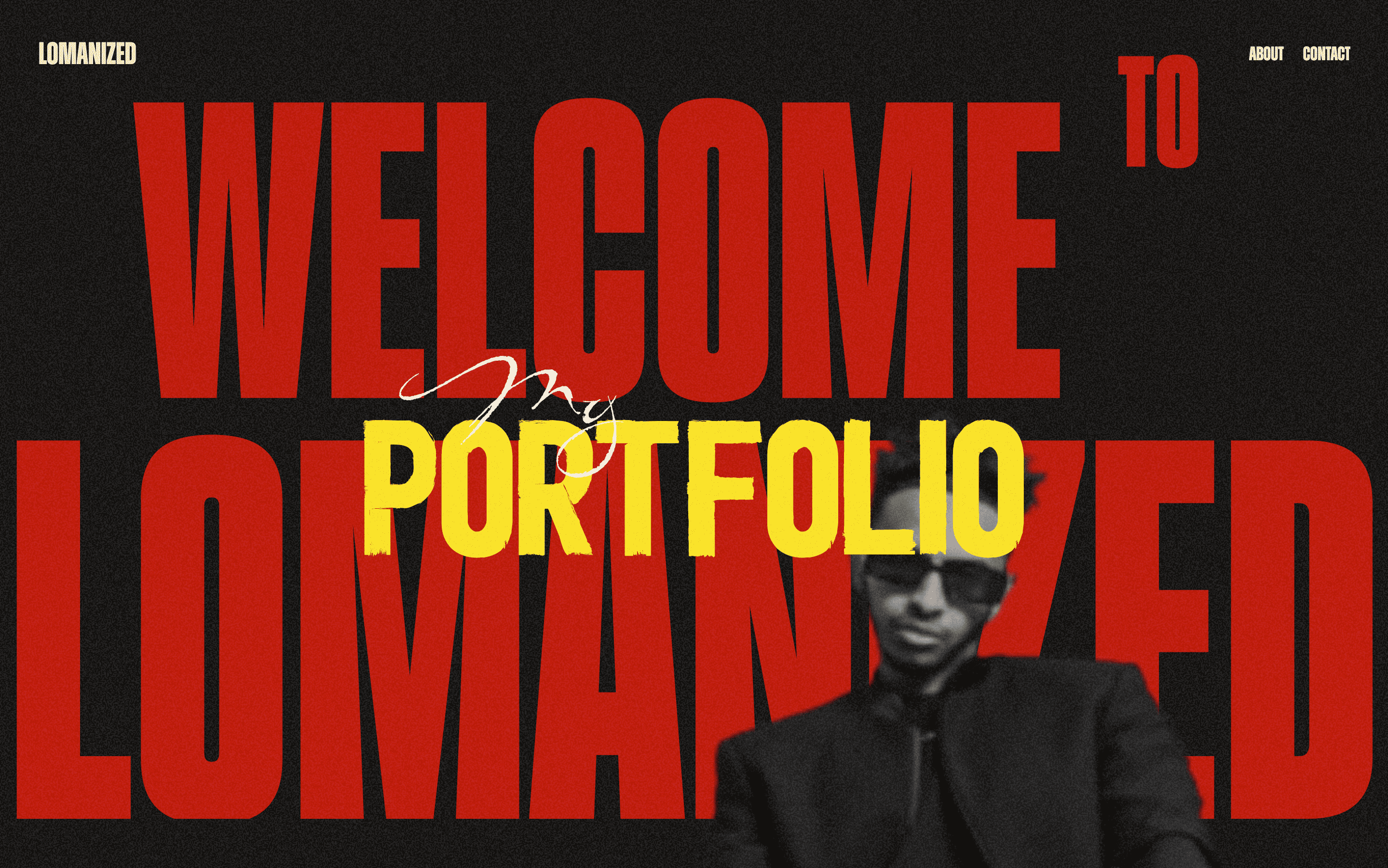
Case StudyI’ve designed Lomanized’s portfolio twice. Once in 2023 as one of my first independent projects, and again in 2025 with two more years of instinct behind me.
- v1 (2023): bold, graphic, type-heavy, an ambitious first attempt at a photography portfolio
- v2 (2025): composed and minimal, design steps back so the photography leads
- Full front-end build on v2: fast, responsive, smooth transitions
- Getting to redesign the same thing shows you exactly what actually mattered
Bathmate / Brand
Case StudyA sensitive category, a brand that needed to feel less aggressive and more human. I led the full visual identity and tone evolution for a leading men's health product.
- User research to understand hesitation patterns and trust signals in a stigma-heavy category
- Visual identity refresh: cleaner typography, modernized photography, composed not loud
- Brand voice rewrite from scratch: informative, direct, human
- Full rollout across web, packaging, email, and marketing

Clipr
macOS appThe native clipboard holds one thing. Everything else vanishes. I wanted a visual, local-first clipboard history that actually shows you what you copied, so I built one.
- Visual grid of every clip: screenshots, colors, code, URLs
- Click to paste, Cmd+click to paste multiple at once
- On-device OCR, instant search, sensitive data filtering
Dial
macOS screensaverA Bauhaus-inspired analog clock screensaver for macOS, built natively with Core Graphics. Comes with a companion settings app so the dial you configure is exactly the one that shows up when the screen locks.
- 16 dial palettes, 3 movement types (Quartz, Mechanical, Digital), 9 night-mode lume colors
- Live settings sync between the companion app and the installed screensaver
- No third-party dependencies, ships as a native .saver bundle

Claude Beacon
macOS menu barI kept tabbing away during Claude Code sessions with no idea what was happening. Still working? Finished? Waiting on me? I built a tiny menu bar indicator so I don't have to go check.
- Animated spark + elapsed timer while Claude is thinking
- Tool label while running commands, yellow dot for permission prompts
- Signed, notarized, ships as a DMG
LOOP Grotesque
Type designA rounded-terminal grotesque built from my own typeface project, Guks, and verified pass by pass: geometry-aware corner rounding, kerning measured against SF Pro Rounded, and an alternate master explored along the way.
- Geometry-driven terminal rounding, convex vs. concave corner classification
- Kerning re-measured against SF Pro Rounded's own per-weight values
- CFF→TrueType conversion, an alternate master, and a live comparison specimen

Focus Mode
Chrome extensionI'd read an article, close the tab, and genuinely not know how much of it actually landed. Built Focus Mode to strip the clutter and track what I actually read vs. skimmed. Turns out I skim a lot more than I thought.
- Clean reading view with paragraph-level scroll tracking and per-session history
- Reading stats in the popup: total reads, avg % read, minutes this week
- Save for Later with a full dashboard: search, sort, filter by read/saved/all
- Everything stored locally, no accounts, no network requests
Scalpel
Figma pluginI kept catching issues way too late, right before handoff. Built Scalpel to run one scan and get everything at once: motion, tap targets, cleanup, redline specs, consistency checks, flow diagrams, skeleton states.
- Twenty-five motion presets that write straight into Figma's own animation styles and prototype reactions
- Flags touch targets below 44×44px so accessibility issues don't make it to the developer
- Generates annotated redline overlays and catches near-miss inconsistencies in color, type, and radius
- Maps every prototype connection on a page into a flow diagram in one click